
Lets learn how to make a simple calculator with JavaScript and style it with SASS.
What we can do with this Simple calculator is add, subtract, multiply and divide.
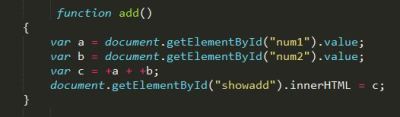
The beauty of javascript lies in its simplicity, the code for all the actions(add, sub,mul,div) used here is pretty much same. So, lets see the code of one of the actions –
document.getElementById(“”)
Here num1, num2 are the id’s for the input tags where we give the two integers as input. and .value helps to take the input values and .innerHTML helps to show the value in “c” at the html tag with id”showadd” as below.

Why + in front of variables a and b in var c =+a + +b;
Because, the variables a and b were strings before and with + they are converted to integers.
Linking HTML to CSS:

Wait, CSS? But you said with SASS . Yes we always link the HTML with CSS. Infact it is the styling language which HTML understands. SASS is one of the CSS prepocessors and it’s files will have.sass extension. So, now we need to compile our .sass file to .css and link them as above, this can be done using many tools, I used Koala.
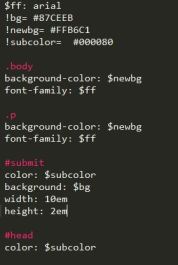
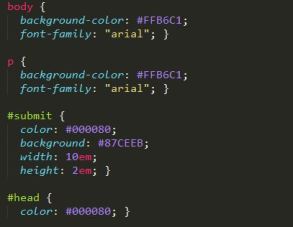
Here is the SASS code and the converted CSS code respectively:
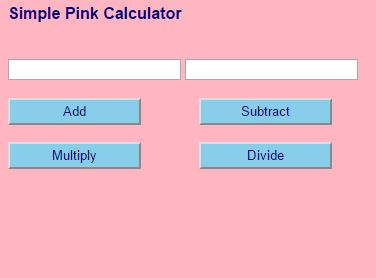
The final app looks like:
 I~wiish