
Every girl is a princess and every mundane day can be special if you dress better. So we can choose better option by comparing better. But don’t worry, the princess party checker is finally here. This simple party checker app, helps every girl to check how a dress, nail paint and lipstick looks like. Lets see how this app can be created.
All I used is AngularJS, HTML and simple CSS. All this has to be within <form> </form> tags. All I used is AngularJS forms, there are three types of data in forms – text, input, select.
- Text: This is just a text box, we can enter our text here.
- Input: This input field can be of many types like radio, check box. I have implemented these two types in the form.
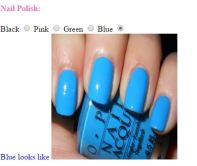
Radio: Radio is used to check color of nail polish. The syntax is like below – I I I have used ng-switch to show only one data at a time, this is just like a switch case in java. And case is given ng-switch-when and the data given is shown here.
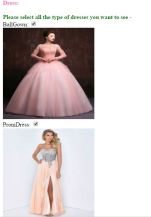
Check box: Check box is used to check the dress, The syntax is like below –
The input data can be shown as below, I have modified the text color according to the nail color.
- Select: I have used this using an array and this array is created in a function which is in a controller called PinkFormCtrl.
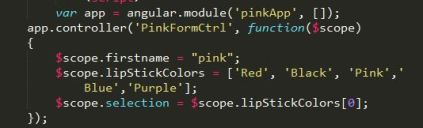
This scope is binded with selection element and can be shown in the HTML tag. I have used ng-options in the select tag, that’s fine but what is the value for it : ” lipStickColor for lipStickColor in lipStickColors“. What on earth is this? Simple, the first lipStickColor is label, second lipStickColor is value and lipStickColors is the array. It just looks a label for the value in the array.

The complete code can be found here: https://github.com/sirishagavini/AngularJS-Party-Checker
And finally the app looks like below –
 animate(): This method helps in animating a set of selected elements. All these animations can be customized based on our interests. The syntax can be like: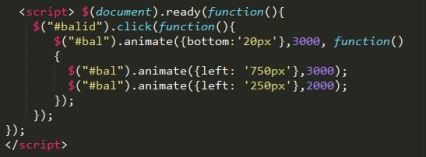

 I~wiish